

Shahadat Robin
Developer
6 months ago
You're already running a Next.js app — fast, scalable, and elegant. Why spin up a second app just for the CMS? What if the editor and the frontend could live together, like soulmates in the same repository? An embedded Studio allows you to create, edit, and publish content hosted in the Content Lake from your Next.js application's development environment or wherever it is deployed.
By embedding Sanity Studio inside your Next.js application, you will:
/studio route for content editor.In a nutshell, Sanity is a Content Operating System, with a configurable, React-based administration panel, cloud-hosted data storage, and a worldwide CDN for content delivery.
So, Let’s create a new project at Sanity and embed an editing studio interface inside the Next.js application.
Run the following command inside your Next.js application root to create a new free project in sanity.io:
npx sanity@latest initUpon running the command, you might be prompted to log in to your Sanity account. Simply log in and proceed to create a new project. Respond with a ‘Yes’ to all subsequent prompts that appear during the process.
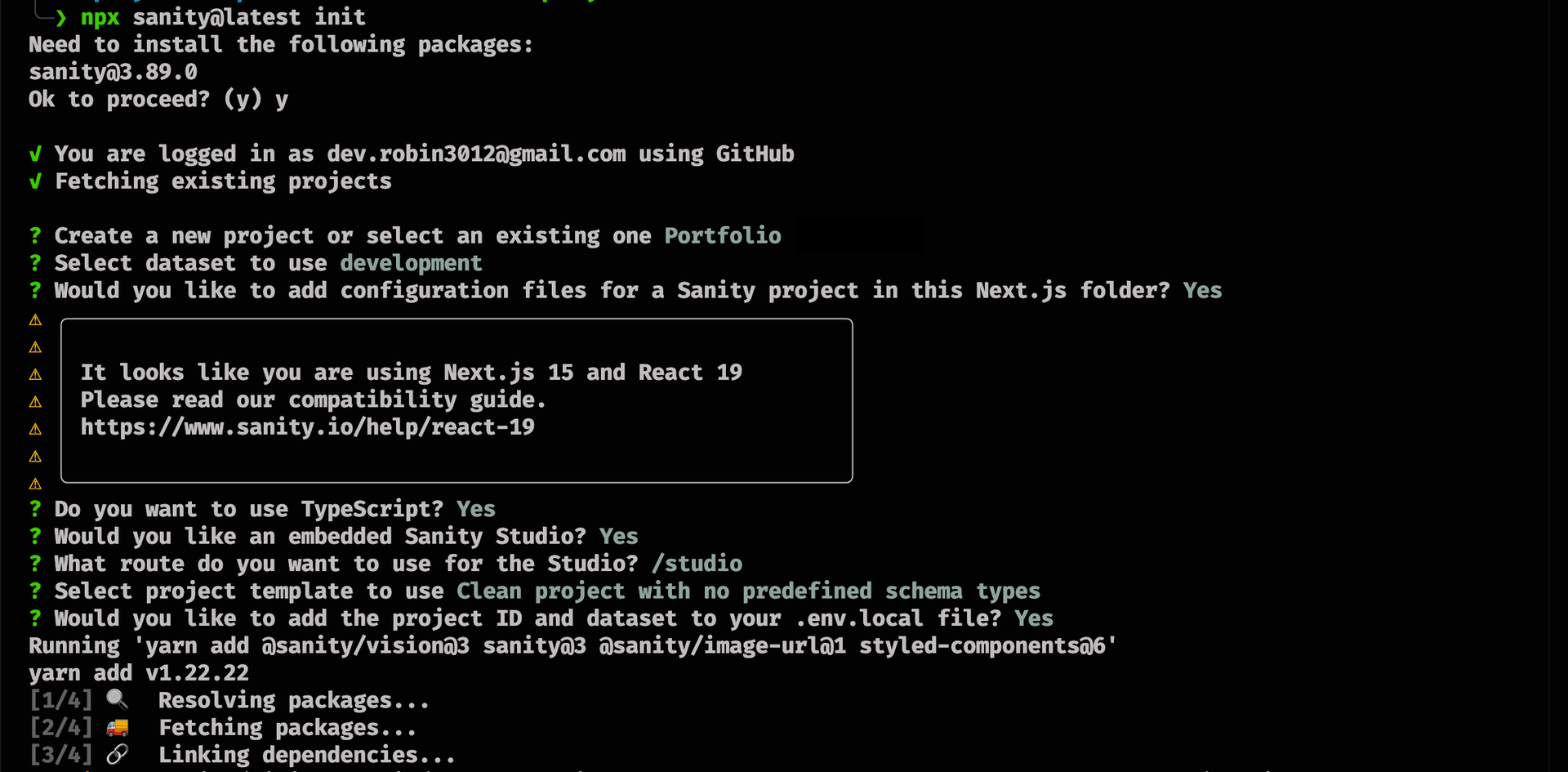
If you accidentally select the wrong option, you can cancel and re-run the command again.
After successful creation, you will see /studio path is now added to the app directory. Now, the project will be visible in your Sanity account as well on Sanity’s website dashboard. Make sure to crosscheck the project_id present in your .env.local file with the one in your Sanity account for verification.
Browse your embedded Sanity Studio route at http://localhost:3000/studio to see your built-in content management system.
The defaultbase pathto access the studio is/studio. You can modify it as per your preference, and you may change it later in thesanity.config.tsfile.
Fortunately, if you ever decide to separate your Sanity Studio into its repository—or both applications into a mono repo—it should be a straightforward process of moving the configuration files around. The data storage of your text and assets would remain unchanged in the Content Lake.